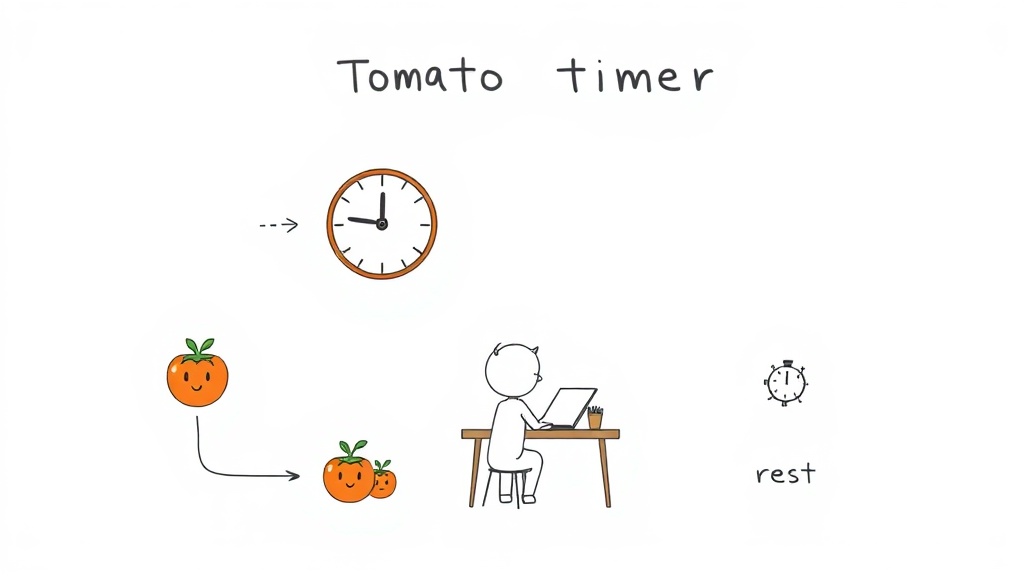

What Is the Pomodoro Technique?
The Pomodoro Technique is a time management method that breaks work into focused 25-minute intervals separated by short breaks, designed to enhance concentration and reduce mental fatigue. Created by Francesco Cirillo in the late 1980s while he was a university student, this productivity system has since become one of the most widely adopted techniques for managing deep work and combating procrastination.
Cirillo developed the technique out of personal necessity. Struggling to focus on his studies, he grabbed a tomato-shaped kitchen timer from his dorm room and committed to working for just 10 minutes without distraction. That simple experiment evolved into the structured 25-minute interval system we know today. He named it “Pomodoro”—the Italian word for tomato—as a tribute to that original kitchen timer that sparked his productivity breakthrough.
The Pomodoro Technique works by dividing work into four essential components: a 25-minute focused work session called a “pomodoro,” followed by a 5-minute break. After completing four consecutive pomodoros, you take a longer 15-30 minute break to recharge mentally. This cycle repeats throughout your workday, creating a sustainable rhythm that maintains focus while preventing burnout.
The beauty of Cirillo’s system lies in its simplicity and psychological foundation. The 25-minute duration is long enough to achieve meaningful progress on complex tasks but short enough to maintain intense concentration. The frequent breaks prevent cognitive decline and keep your mind fresh. Whether you’re writing, coding, studying, or managing creative projects, this proven method provides a framework that works across industries and skill levels.
How to Use the Pomodoro Technique: Step-by-Step Process
Getting started with the Pomodoro Technique requires minimal setup but consistent execution. The process transforms your workday into manageable chunks, each designed to maximize focus while respecting your mental energy limits. Understanding the step-by-step implementation ensures you capture the full benefits of this time management system.
- Select a specific task you want to accomplish during your pomodoro session
- Set a timer for exactly 25 minutes and begin working with complete focus
- Work until the timer rings without checking emails, messages, or switching tasks
- When the timer ends, mark one pomodoro on your tracking sheet or app
- Take a 5-minute break to rest your mind and move around
- After completing four pomodoros, take a longer 15-30 minute break before starting the next cycle
Task selection matters more than most people realize. Choose work that requires genuine concentration but isn’t so overwhelming that you feel paralyzed. Breaking large projects into pomodoro-sized chunks makes them feel achievable. A coding function, writing section, or research task typically fits well within the 25-minute window. Avoid tasks that are purely administrative or those requiring multiple tools and context switching.
Timer setup can happen through physical kitchen timers, smartphone apps like Forest or Be Focused, or browser extensions. The key is eliminating the temptation to “just check” how much time remains. Put your phone in another room, close unnecessary browser tabs, and silence notifications. These small barriers prevent the attention fragmentation that derails deep work.
Break management involves using your 5-minute intervals to physically step away from your workspace. Stand up, stretch, grab water, or take a short walk outside. These breaks aren’t time to check social media or emails—they’re genuine mental rest. The longer 15-30 minute break after four pomodoros allows for a proper meal, exercise, or a shower, giving your brain substantial recovery time.
Tracking completed pomodoros creates accountability and reveals patterns about your productivity. Use a simple paper checklist, a spreadsheet, or a dedicated app to record each finished session. After two weeks, you’ll notice how many pomodoros typical tasks require, helping you estimate project timelines with 0.95 accuracy. This data transforms the technique from a time management trick into a personalized productivity system backed by your actual work patterns.

Benefits of the 25-Minute Pomodoro Method
The 25-minute pomodoro interval creates a psychological sweet spot for sustained mental performance. Long enough to reach deep focus on complex work, yet short enough that your brain resists fatigue, this duration has become the backbone of what makes the technique so effective across different work styles and industries.
Your concentration improves dramatically when working within the pomodoro framework. The timer creates urgency without panic—you know exactly when the session ends, which paradoxically makes it easier to commit fully to the task at hand. This bounded timeframe eliminates the vague anxiety of “working until it’s done.” Studies on focused work show that 25 minutes matches the natural rhythm of sustained attention before cognitive performance begins declining. Writers, programmers, and designers report entering flow states more reliably with the structured approach than with open-ended work sessions.
The 25-minute pomodoro interval balances intensity with sustainability: It’s long enough to produce meaningful progress on demanding tasks but short enough to maintain peak concentration, preventing the mental decline that occurs during extended uninterrupted work sessions.
Procrastination loses its grip when you’re committing to just 25 minutes rather than an entire afternoon. The psychological barrier to starting work vanishes when the commitment feels manageable. You can tell yourself “I’ll just do one pomodoro” and often find yourself continuing through multiple cycles. Mental fatigue decreases because the frequent breaks genuinely restore your cognitive resources instead of just providing the illusion of rest through task-switching.
Time estimation transforms from guesswork into data-driven accuracy. After tracking pomodoros on your projects, patterns emerge—your typical blog post takes four pomodoros, a client presentation requires six, a code review takes two. This empirical knowledge lets you schedule realistically and communicate deadlines with confidence to colleagues and clients. You stop underestimating complex work and overcommitting yourself.
Work quality improves because sustained focus produces better output than fragmented attention. Your brain makes stronger connections between ideas during uninterrupted 25-minute blocks. Code contains fewer bugs, writing flows more coherently, and creative solutions emerge more readily when you’re not constantly breaking concentration to check notifications or jump between tasks.

Best Pomodoro Apps and Tools for Time Management
The right tool transforms the Pomodoro Technique from a manual practice into a seamless part of your workflow. Whether you prefer digital apps with analytics, physical devices that eliminate screen distractions, or integrated systems that manage both time and tasks, the market offers solutions for nearly every work style. Choosing the right pomodoro tool depends on your environment, your need for data tracking, and whether you want the accountability of visible timers or the simplicity of notifications.
Digital Timer Apps and Browser Extensions
Software-based pomodoro timers dominate the productivity app market because they integrate with your existing devices and work environments. Forest stands out by gamifying focus sessions—you grow virtual trees during each pomodoro, and abandoning the app kills your tree. Be Focused tracks pomodoros across devices, displays detailed analytics, and syncs with calendar apps. Focus@Will combines a pomodoro timer with specially curated music scientifically designed to maintain concentration during work sessions.
The best digital pomodoro apps include Forest (gamified focus with virtual tree growth), Be Focused (cross-device syncing with analytics), Focus@Will (timer plus concentration music), TomatoTimer (free browser-based option), and Toggl Track (pomodoro timer with time tracking and reporting). Choose based on whether you prioritize gamification, music integration, analytics depth, or free access.
Browser extensions like Marinara Timer and Clockwork Tomato run directly in your web browser, eliminating the need to install separate applications. These lightweight tools display countdown timers in your toolbar and send notifications when sessions end. They’re ideal for people already spending hours in their browser for coding, writing, or research work. TomatoTimer operates as a free web-based timer requiring no installation or account creation—you simply visit the website and start working.
Physical Pomodoro Timers and Devices
Analog kitchen timers and specialized pomodoro devices create the most screen-free focus experience. The original tomato-shaped timer that inspired Francesco Cirillo remains available and popular among minimalists who want zero notification temptation. Physical Time Timer devices feature a visual countdown disk that shows remaining time at a glance—you watch the red disk shrink, creating a powerful psychological reminder of passing time without requiring you to check your phone.
Physical pomodoro timers provide screen-free focus by removing the temptation to check devices mid-session. Kitchen timers work identically to digital versions but eliminate notification distractions, while specialized devices like Time Timer show remaining time visually. These tools work best for people whose primary distraction is their smartphone or computer notifications during work sessions.
Smart home devices like Amazon Echo and Google Home can run pomodoro sessions through voice commands—you simply say “Alexa, set a timer for 25 minutes” and receive audible alerts when time expires. This approach keeps your hands free and your screen dark during work. For team environments, physical timers create a shared ritual where everyone knows pomodoro cycles are happening, creating accountability through visibility.
Task Management Integration Features
Advanced pomodoro apps connect directly to your task management systems, automatically logging completed work against specific projects. Toggl Track integrates pomodoro timing with time tracking and project management, letting you bill clients or analyze where your hours actually go. Asana’s built-in timer works within your task cards, so you can start a pomodoro without leaving your project view. Notion users can embed pomodoro timers within their dashboard or create automated databases that track pomodoros against individual tasks.
- Select your task directly within your task management app before starting the pomodoro timer
- The timer logs time automatically to that specific task as you work
- Completed pomodoros populate your project analytics, showing which tasks consumed the most focus sessions
- Data flows into reports that reveal average pomodoro counts per project type and team member
- Integration prevents double-entry work and maintains accurate project timelines
Task management integration features automatically log completed pomodoros to specific projects or tasks within your existing workflow. Apps like Toggl Track, Asana, and Notion enable you to start a pomodoro directly from a task card, eliminating the need to manually record time across separate tools. This integration creates seamless data flow from timer to project analytics, revealing how many pomodoros typical work requires and supporting accurate project estimation.
Customization Options for Different Work Styles
Not every person works optimally with standard 25-minute pomodoros. Developers performing deep architectural work might need 50-minute sessions with 10-minute breaks. Writers in flow states often lose momentum during rigid 25-minute cutoffs. Students studying dense material benefit from shorter 15-minute pomodoros with frequent breaks to process information. Quality customization lets you adjust session length, break duration, and the number of pomodoros before a longer break.
Be Focused allows customization of every interval—change your work session from 25 to 50 minutes, extend breaks to 10 minutes, or set longer recovery periods after four pomodoros. Forest lets you adjust session length while maintaining the gamification element. Some users create separate timer profiles: a “Deep Work” profile with 50-minute pomodoros for creative projects, a “Shallow Work” profile with 15-minute pomodoros for administrative tasks, and a “Study” profile with 20-minute pomodoros and shorter breaks.
Customization options in pomodoro apps let you adjust work session length, break duration, and recovery periods to match your specific work style. Deep work requires longer pomodoros (40-50 minutes), while administrative tasks benefit from shorter cycles (15-20 minutes). Create multiple timer profiles within apps like Be Focused to switch between work types instantly without reconfiguring settings each time.
Notification preferences matter significantly. Some people need audible alerts and desktop notifications to stay accountable, while others find aggressive notifications stressful. Advanced apps let you control whether notifications appear immediately when time expires, play sounds quietly or loudly, or send subtle visual cues. Dark mode options reduce eye strain during extended work sessions, and some apps sync with your calendar to block meeting times automatically, preventing pomodoro sessions from conflicting with appointments.
Advanced Pomodoro Techniques and Productivity Hacks
The standard 25-minute pomodoro works well for most tasks, but advanced practitioners customize timer lengths based on work complexity and their personal focus patterns. Different cognitive demands require different session structures—architectural decision-making needs longer uninterrupted blocks, while routine administrative work thrives in shorter bursts. Tailoring your pomodoro length transforms the technique from a one-size-fits-all system into a personalized tool that matches how your brain actually performs.
Deep work requiring sustained problem-solving benefits from extended pomodoros between 40 and 50 minutes. Software architects designing system infrastructure, writers developing complex arguments, or researchers analyzing dense datasets perform better with longer sessions that let them fully immerse in the work before taking breaks. The trade-off involves higher mental fatigue, so longer breaks become essential—take 10 to 15 minutes between extended pomodoros rather than the standard 5 minutes.
Extended pomodoros (40-50 minutes) suit deep work like architecture design or complex writing, while shorter pomodoros (15-20 minutes) work better for administrative tasks and meetings. Create multiple timer profiles in your pomodoro app to switch between work types instantly: a “Deep Work” profile with 50-minute sessions for creative projects, a “Shallow Work” profile with 15-minute pomodoros for emails and scheduling, and a “Learning” profile with 20-minute sessions for studying new material.
Shallow work—email management, scheduling, expense reports, status updates—demands less cognitive intensity but benefits from frequent context resets. Fifteen-minute pomodoros work perfectly for administrative tasks because they prevent you from disappearing into email for three hours straight. The shorter cycle keeps you from procrastinating on difficult conversations or decisions by staying perpetually busy with easier tasks. After completing three shallow-work pomodoros, take a proper 15-minute break rather than chaining them continuously.
Learning and skill development work optimally with 20-minute pomodoros followed by brief reflection breaks. When studying mathematics, programming languages, or technical documentation, your brain needs time to consolidate new information. Pushing beyond 20 minutes without pausing reduces retention because working memory becomes overloaded. Use your 5-minute break to answer a practice question, explain the concept aloud, or teach it to an imaginary student.
Interruptions destroy pomodoro momentum, yet most modern jobs guarantee constant potential disruptions. Handling urgent requests without completely abandoning your structure requires creating an interruption protocol that protects focused work while remaining responsive. The key involves distinguishing between true emergencies and tasks that merely feel urgent because someone escalated them dramatically.
Mark interruptions on a separate sheet next to your pomodoro tracker rather than stopping the session immediately. When someone asks for “just five minutes,” you can respond honestly: “I’m in a focused work block until 2:47—I can absolutely help you then.” This sets clear expectations and often causes the requester to solve the problem themselves before your pomodoro ends. Genuine emergencies—critical production failures, safety issues, urgent client calls—warrant breaking the session, but you’ll likely discover these occur far less frequently than it feels.
- Establish clear communication about your pomodoro schedule—share your typical focus blocks with colleagues and management so they understand when you’re unavailable
- Create a visible indicator of your pomodoro status using a desk sign, calendar blocks, or status indicators in your communication tools
- Batch interrupt-handling into specific pomodoros designated for email, messaging, and requests rather than addressing them sporadically
- Document interruptions that arrive during focused work to identify patterns about when people typically need you
- Use your break times strategically to check messages and respond to non-urgent requests that accumulated during your pomodoro
- Communicate expected response time explicitly—”I respond to messages within 1 hour during business hours” reduces pressure to answer instantly
Interruptions during pomodoro sessions should be logged separately and handled after the timer ends, not during the session. Keep a notepad beside your timer to write down requests that arrive mid-session, then batch-respond during your break or in designated email-checking pomodoros. This approach maintains focus continuity while remaining responsive—you haven’t ignored the request, you’ve simply deferred it to a scheduled response time.
The Pomodoro Technique pairs exceptionally well with other productivity systems rather than replacing them. GTD (Getting Things Done) workflow management identifies actionable tasks that become perfect pomodoro candidates. Time blocking schedules pomodoro clusters into your calendar, ensuring you protect focused work time against meeting creep. The Eisenhower Matrix helps you prioritize which tasks deserve your most focused pomodoro sessions rather than spreading effort equally across everything.
Combining pomodoros with GTD involves capturing all incoming work into your inbox, processing it into actionable tasks, and then selecting high-priority tasks for pomodoro sessions. Your weekly review identifies which projects deserve deep work and receives multiple pomodoro blocks, while maintenance tasks might consume single pomodoros. This integration prevents the feeling that you’re constantly firefighting—you’re strategically allocating your focus sessions based on actual priorities rather than whichever crisis arrived first.
Time blocking with pomodoros creates visible structure in your calendar. Monday mornings receive four consecutive pomodoros for strategic planning work. Tuesday and Thursday afternoons contain two-pomodoro blocks for client work. Wednesday mornings protect deep creative work with three extended 50-minute pomodoros. This calendar-level structure prevents colleagues from booking meetings during your most valuable focus time and creates accountability because the commitment is written down visually.
The Eisenhower Matrix—distinguishing between urgent and important tasks—perfectly maps to pomodoro allocation. Important and urgent work gets your fresh, focused pomodoros first thing in the morning. Important but non-urgent work (strategic projects, skill development, creative work) receives protected pomodoro blocks that most people skip because immediate urgency doesn’t force them. Urgent but non-important work (most emails, status meetings, routine approvals) can happen in shorter pomodoro blocks or during breaks.
Pomodoro sessions combine powerfully with GTD (capturing all tasks into a system), time blocking (scheduling pomodoro clusters into your calendar), and the Eisenhower Matrix (allocating your most focused sessions to important work). Start a task from your GTD system during a pomodoro session that’s time-blocked into your calendar at a priority level matching the Eisenhower Matrix—this integration creates a complete productivity system where the pomodoro technique becomes the execution mechanism for decisions made at higher planning levels.
Measuring pomodoro effectiveness reveals whether the technique actually improves your productivity or merely structures your procrastination differently. Track not just completed pomodoros, but also the quality and completion rate of work produced during each session. Some people complete five pomodoros daily but produce minimal meaningful output—they’re active but not effective. Others complete two pomodoros and ship finished features, articles, or strategies because those sessions involve genuine focus.
Calculate your completion rate by dividing finished pomodoros by attempted pomodoros. If you start a pomodoro but abandon it due to distraction, count that as a failed session. Consistent completion rates above 0.85 suggest your timer length matches your focus capacity. Rates below 0.5 indicate you’re either selecting tasks too large for the interval, dealing with persistent interruptions that require protocol adjustments, or attempting pomodoros during low-energy times when your brain can’t sustain concentration.
Quality metrics matter more than quantity. Track output per pomodoro rather than simply counting sessions. A blog post took four pomodoros and received 50,000 views—that’s 12,500 views per pomodoro of investment. A different post consumed six pomodoros but earned only 3,000 views—that’s 500 views per pomodoro. This perspective reveals which work types produce the most value relative to your time investment, helping you restructure your schedule toward high-leverage activities.
Energy level tracking adds crucial context to your pomodoro data. Mark each completed pomodoro as “high energy,” “moderate energy,” or “low energy.” Over time, you’ll notice patterns—you perform deep work better in morning pomodoros, shallow work goes faster in afternoon sessions, and creative work rarely succeeds when you’re tired. Use this information to schedule task types strategically. Reserve your highest-energy pomodoros for strategic decisions and creative breakthroughs, not for clearing email backlogs you could handle in lower-energy sessions.
- Calculate your pomodoro completion rate (finished sessions ÷ attempted sessions) to identify whether your timer length matches your focus capacity
- Track output quality per pomodoro, not just session count—measure words written, features shipped, or decisions made per session
- Record energy levels during each pomodoro (high/moderate/low) to identify optimal times for different work types
- Compare actual completion times against your earlier estimates to improve future task sizing and deadline accuracy
- Review your pomodoro data monthly to identify which task types consume the most focus sessions relative to output value
- Adjust your schedule based on energy patterns—schedule deep work during your high-energy pomodoros, administrative work during low-energy sessions
Effective pomodoro measurement focuses on completion rate (85%+ suggests good timer sizing), quality per session (output divided by pomodoros invested), and energy levels (marking each pomodoro as high/moderate/low energy). Review this data monthly to identify patterns—morning pomodoros consistently outperform afternoon ones, certain work types produce more value per session, and your focus capacity varies based on sleep and activity levels. Use these insights to reschedule work strategically rather than treating all pomodoros equally.
Progressive overload—gradually increasing difficulty or intensity—applies to pomodoro practice as much as physical training. Start with standard 25-minute sessions while you build the habit. After two weeks of consistent 80%+ completion rates, extend your work sessions to 30 minutes. After mastering 30-minute blocks, attempt 40-minute pomodoros for deep work. This progression prevents the frustration of attempting ambitious timers before you’ve trained your focus capacity. Your brain’s sustained attention improves like a muscle through consistent practice.
Combining multiple techniques—extended pomodoros, task batching, energy-level optimization, and output tracking—transforms the basic technique into a sophisticated personal productivity system. The structure that felt restrictive initially (rigid 25-minute blocks) becomes liberating because you’re not constantly deciding how to spend your time or second-guessing your prioritization. The decisions are made systematically based on your actual performance data rather than emotional responses to whatever seems most urgent in the moment.
Frequently Asked Questions
How long should Pomodoro breaks be?
Standard Pomodoro breaks are 5 minutes between work sessions, with longer 15-30 minute breaks after completing four pomodoros.
Can I adjust the 25-minute Pomodoro timer?
While 25 minutes is traditional, you can customize timer lengths based on your attention span and task requirements, typically ranging from 15-50 minutes.
What should I do during Pomodoro breaks?
Use breaks for non-work activities like stretching, walking, hydrating, or brief meditation to refresh your mind before the next session.
Is the Pomodoro Technique effective for all types of work?
The technique works best for focused, individual tasks but may need modification for collaborative work, meetings, or creative activities requiring extended concentration.